
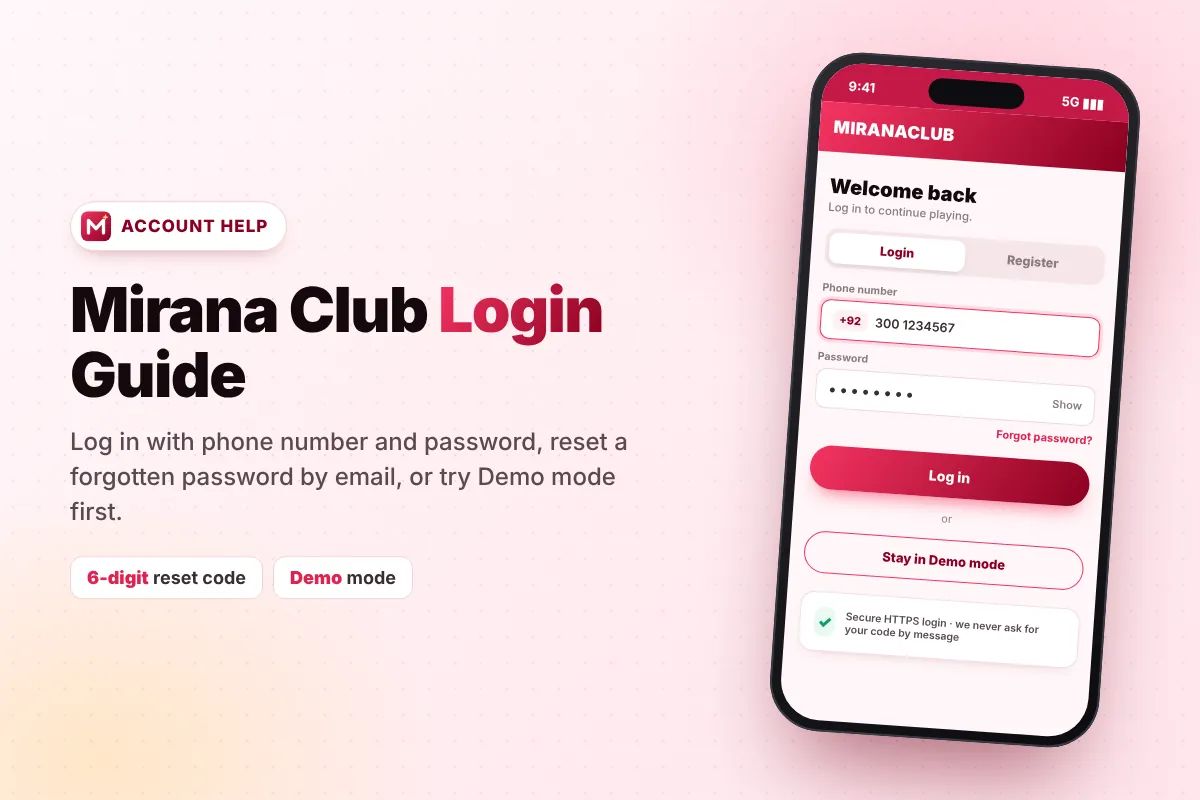
This Mirana Club login guide explains how to sign in to your account, how to reset a forgotten password with the 6-digit email code, and how to fix the login problems players face most often. If you do not have an account yet, start with our Mirana Club register guide first.
How to Login to Mirana Club (Step by Step)
- Open the app or website Tap the Mirana Club icon on your home screen or use the Login button on this page.
- Tap "Login" It is at the top right, next to Register.
- Check the country code Make sure the flag shows your country, for example +92 for Pakistan, +91 for India or +95 for Myanmar.
- Enter your phone number The same number you used to register, without the first 0.
- Enter your password Type it carefully. Passwords are case-sensitive.
- Tap "Log in" You will see your balance and the game lobby.
Forgot Your Mirana Club Password? Reset It with Email
If you cannot remember your password, you can reset it yourself in about a minute. You need access to the email address you entered when you registered.
- Tap "Forgot password?" On the login screen.
- Enter your registered email address And request the code.
- Open your email You will receive a 6-digit verification code. Check the Spam or Promotions folder if you do not see it.
- Enter the code within 10 minutes The code expires after 10 minutes. If it expires, request a new one.
- Set a new password Type it in "New password" and "Confirm new password", then save.
- Log in again With your phone number and the new password.
Try Mirana Club in Demo Mode
Not ready to sign in? Mirana Club has a Demo mode. When the login pop-up appears, you can choose to stay in Demo and look around the lobby, games and promotions first. This is a good way to understand how games like Aviator or Win Go work before you use real money. When you are ready, simply log in or register.
Mirana Club Login Problems and Solutions
| Problem | Likely Reason | Solution |
|---|---|---|
| "Wrong password" | Typing mistake, Caps Lock or old password | Type slowly, check capital letters, or use Forgot password? |
| "Account not found" | Wrong country code or number format | Select the right flag and remove the first 0 from the number |
| Reset code not received | Email in Spam folder or wrong email typed | Check Spam/Promotions, wait a minute and request again |
| Code expired | More than 10 minutes passed | Request a new code and use it straight away |
| Page keeps loading | Slow or unstable internet | Switch between Wi-Fi and mobile data, then retry |
| App shows a blank screen | Old cache or outdated APK | Clear browser cache or reinstall the latest version |
Forgot which email you used?
If you cannot remember your registered email, contact Customer Service inside the platform. Our Mirana Club customer care guide explains how to reach them and what details to share (never your password).
Logged in but balance looks wrong?
Make sure you are in the correct account and not in Demo mode. Pending deposits may take a short time to appear. See our deposit and withdrawal guide for help with delayed payments.
Mirana Club Login on Different Devices
You can use the same Mirana Club account on more than one device. Your balance, bonuses and game history are stored on the server, not on your phone, so they follow you wherever you log in.
| Device | How to log in | Tip |
|---|---|---|
| Android (APK) | Open the Mirana Club icon and tap Login | Install the latest APK if the login screen looks old |
| Android (Quick Install) | Open the home-screen icon and tap Login | Updates automatically, no reinstall needed |
| iPhone | Open the icon added through Safari and tap Login | Use Safari for the best results |
| Laptop or PC | Open the official website in your browser and tap Login | Log out when using a shared computer |
If you change your phone, just install the app on the new device and log in with the same phone number and password. Because login uses your phone number and password, you can sign in on a new device as long as you remember both. Make sure your registered email is still active in case you ever need to reset your password.
How to Keep Your Mirana Club Account Safe
Strong, unique password
Use a password you do not use anywhere else, with letters and numbers.
Official links only
Log in only through the official app or website. Fake login pages are used to steal accounts.
Do not share accounts
Never give your login details to friends, agents or "account managers".
Protect your email
Your email controls password resets, so keep it secure too.
Passwords on Mirana Club are stored as secure one-way hashes and all traffic is encrypted over HTTPS, but your own habits matter most. If you ever think someone else knows your password, reset it immediately.
New to Mirana Club?
Create a free account in two minutes and use invite code coming soon during sign-up.
This website is an independent guide and is not the official Mirana Club platform. We never ask for your login details.
Frequently Asked Questions
How do I log in to Mirana Club?
Open the app, tap Login, choose your country code, enter your registered phone number and password, then tap Log in.
I forgot my Mirana Club password. What should I do?
Tap Forgot password? on the login screen, enter your registered email, then enter the 6-digit code you receive and set a new password.
How long is the password reset code valid?
The 6-digit code expires after 10 minutes. If it expires, simply request a new one.
Can I log in with my email instead of my phone number?
Login uses your phone number and password. Your email is used for password recovery.
Can I use Mirana Club without logging in?
Yes, you can stay in Demo mode to look around. To play for real money and claim bonuses you need to log in.
Is it safe to share my login with an agent?
No. Never share your password or reset code with anyone. Doing so can lead to losing your account and balance.